Why does deep learning drastically improve business card scanner precision?
Deep learning automates business card data capture with greater speed and accuracy than traditional OCR, producing CRM-ready data.
1. Mechanisms by Which Deep Learning Improves Accuracy
Deep learning doesn’t just “read” text—it understands patterns, context, and visual noise. Here’s how it achieves such high precision:
- ・Advanced Image Preprocessing
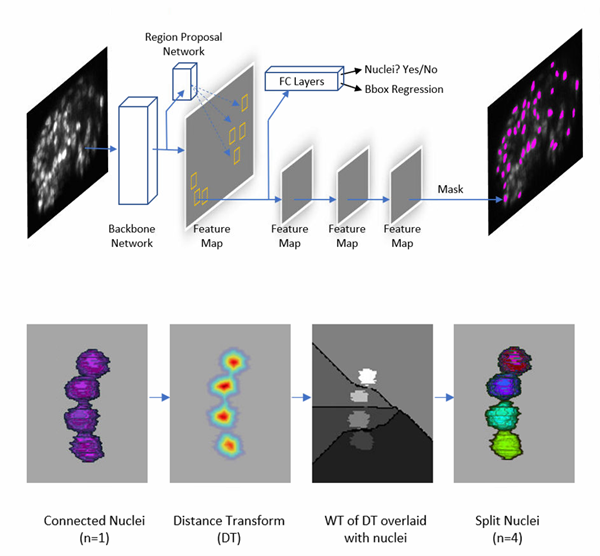
Real-world scans are rarely perfect. AI automatically corrects skewed angles, removes shadows, and enhances contrast. This ensures the system works reliably whether the card is photographed at a conference booth or under dim lighting.
- ・Feature Extraction with CNNs
Convolutional Neural Networks (CNNs) break down characters into micro-patterns—edges, curves, and spacing. This allows recognition of stylized fonts, embossed text, or unconventional layouts that would confuse traditional OCR engines. - ・Contextual Understanding via Attention Mechanisms
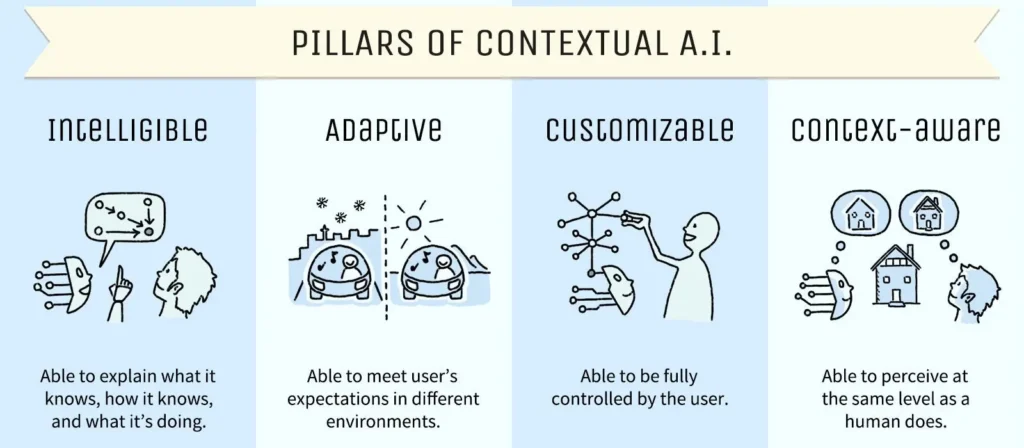
Instead of reading characters in isolation, deep learning models evaluate context. For example, they can infer that a string of numbers is likely a phone number or recognize job titles based on surrounding keywords.
- ・Transfer Learning & Data Augmentation
By leveraging pre-trained models and training on diverse datasets (blurred, rotated, multilingual cards), systems achieve high accuracy without requiring massive resources from scratch.
2. Real-World Results: Improvement Examples by the Numbers
The performance gap between traditional OCR and deep learning is not theoretical—it’s measurable:
Application | Traditional OCR Accuracy | Deep Learning Accuracy | Resulting Impact |
Corporate Business Cards | ~65% | 90%+ | Significant reduction in manual corrections |
Receipts & Invoices | ~60% | 95% | Improved data completeness |
Multilingual Cards | Limited | Up to 99% | Reliable handling of complex scripts |
These gains translate directly into productivity: fewer manual edits, faster CRM updates, and better lead utilization.
3. Important but Often Overlooked Points
High accuracy on paper doesn’t always equal real-world performance. The following factors often determine success:
- ・Handwritten annotations

Notes written during meetings—like direct phone numbers—are often more valuable than printed text. Systems must support handwriting recognition to avoid losing key insights.- ・Mobile-First conditions
Most scans happen on smartphones in imperfect environments. A strong solution must handle motion blur, poor lighting, and inconsistent framing. - ・Multilingual & Mixed fonts
Global business cards often combine multiple languages and decorative branding. Without proper training data, OCR output becomes fragmented or incorrect. - ・Data Security & Privacy
Business cards contain sensitive personal data. Secure processing (encryption, controlled cloud storage, or on-device AI) is critical for enterprise adoption.
4. Boxcard - Optimize Business Card Management with AI

“Business card apps sound useful, but they’re often complicated, slow, or eventually require payment.”
If you’ve ever felt this way, BoxCard is a great option to consider.
Boxcard is designed with three key strengths in mind: simplicity, lightweight performance, and free access, making it easy for anyone to get started right away.
・Easy to use: Intuitive interface with no complicated setup
・Lightweight and fast: Smooth performance without lag
・Free to use: Core features available without hidden costs
・Multilingual support: Supports English, Japanese, Vietnamese, Korean, and Chinese (Simplified & Traditional)
What Makes BoxCard Different?
Many business card management apps offer advanced features but come with trade-offs such as high costs, complex interfaces, or heavy performance.
BoxCard takes a different approach by focusing on essential functionality with a seamless user experience:
・Streamlined workflow with minimal setup
・Fast scanning, organizing, and searching
・Core features fully accessible without requiring payment
As a result, BoxCard stands out by offering a balance between usability, performance, and cost-efficiency.
This makes it especially useful for professionals handling multilingual business cards or working in international environments.
Who Should Use BoxCard?
・Beginners looking for a simple solution
・Users who want a free and efficient tool
・Professionals managing multilingual contacts
・Anyone who prefers lightweight and easy-to-use apps
👉 Download BoxCard now on the App Store or Google Play and start managing your business cards more efficiently.
For businesses, this means more than just convenience—it means unlocking the full value of every connection. When implemented correctly, AI-powered solutions turn scattered business cards into a structured, searchable, and actionable database that drives real business outcomes.