Hong Kong International Film & TV Market: Where Entertainment Professionals Build Global Connections
Leaving a market with a stack of cards is common. The difference between lost contacts and real opportunities is a fast, simple routine: scan immediately, add context, tag, and follow up within 48 hours.

You return from the Hong Kong International Film & TV Market with a stack of 50 business cards, a handful of email addresses in your phone, and a long to do list. The real work begins now: turning those casual conversations into usable contacts, meeting notes, and business opportunities. This article shows what to do before, during, and after the market so you leave with organized contacts, clear next steps, and fewer lost leads.
Who this is for
Producers, sales agents, acquisitions executives, festival programmers, distributors, and anyone who uses networking at markets and festivals to close deals or source projects. If you expect to collect dozens of cards in a short time, you should plan a simple scanning and follow-up workflow.
Before the market: decide goals and choose your tools
Start by asking what a successful follow-up looks like. Examples: a meeting with three potential buyers, a shortlist of ten projects to send screeners to, or a list of local contacts for distribution in Greater China. Your goals determine how much time you should spend digitizing and categorizing contacts on site.
Tool checklist: what to pick before you travel
- Speed and accuracy: Pick a business card scanning app that recognizes multiple languages and handles poor lighting. High OCR accuracy matters when cards have Chinese, English, or mixed text.
- Export and CRM options: If you use a CRM, verify whether the app offers CRM integration or easy CSV export. That saves manual retyping later.
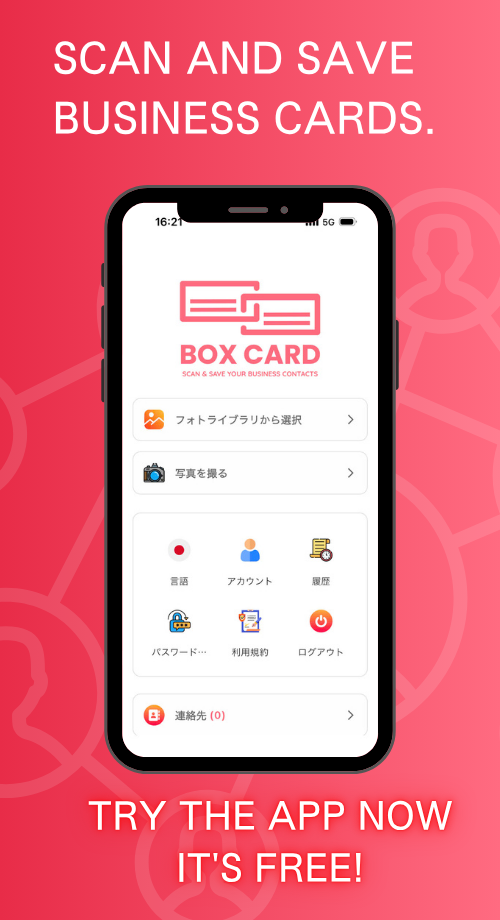
- Cloud backup: Enable a cloud sync option so scans are not trapped on a single device. If you use BoxCard cloud, enable sync before arrival so nothing is lost if your phone runs out of power.
- Team sharing: Choose a business card information sharing app or a business card management app that lets you share contacts with colleagues, if multiple people on your team will follow up.
- Try it once: Practice a few scans before you fly. Confirm the app reads names, titles, phone numbers, email, and company correctly.
Apps like Boxcard and other business card scanning app options can handle basic digitization and contact management. If you are evaluating tools, search for terms such as Business card OCR app and AI business card scanner to compare speed and accuracy, and check whether the app suits your privacy needs.

At the market: capture contacts and context efficiently
Collecting a card is only the first step. What makes a contact useful is context: what you discussed, what each person wanted, and how they fit your goals. Follow this simple on-site routine:
- Scan immediately. Right after the handshake, scan or photograph the card. This reduces the chance it will be lost or forgotten.
- Add a one-line note. Use the app note field or your phone to add context: buyer for art-house releases, interested in co-production, follow up after Cannes, rights: North America, or meet at booth D12. A short note changes a card into a lead.
- Tag and prioritize. Use tags such as project name, territory, and priority. Tagging saves time later when you filter contacts for outreach.
- Ask for permission to share. If you plan to forward the contact to colleagues, ask if that is okay. This avoids privacy problems and keeps relationships professional.
- Batch scans. If you are rushed, scan a stack every hour rather than letting them pile up all day.
Practical tip: carry a small notebook or use the app to record where you met someone and what you discussed. That on-the-spot context is far more reliable than memory the next day.
After the market: triage, enrich, and follow up
Plan a 2-step cleanup session within 48 hours: triage and outreach.
Triage in 30 to 90 minutes
- Open your scans and fix any OCR mistakes, especially in names and email addresses.
- Apply consistent tags: event name, project, territory, interest level.
- Merge duplicates. Many apps have deduplication tools; use them to avoid contacting the same person twice.
- If your app supports export, create a CSV for your CRM, or use built-in CRM business card management features to import contacts directly.
Outreach in stages
- Priority contacts, within 48 hours: send a personal email that references your conversation, attach the project one-pager or screener link if appropriate, and propose a concrete next step.
- Secondary contacts, within one to two weeks: a shorter note, link to company page or catalogue, and an invitation to stay in touch.
- Team sharing: forward contacts with a short instruction to colleagues when a task is needed, using your business card management app or a team folder. This keeps follow-up coordinated and prevents duplicated outreach.
Example follow-up opener: “Great to meet you at the Hong Kong market. As discussed, I am sharing a one-pager for Project X, which I think fits your slate for Southeast Asia. Are you available for a 20 minute call next Wednesday?” Short, specific, and actionable messages win responses.
Common mistakes and how to avoid them
- Piling up cards. Waiting weeks to digitize makes context evaporate. Scan daily.
- Poor photos. Blurry images and angled shots make OCR fail. Hold the card flat and use even lighting.
- Missing consent. Don’t share a contact with partners until you have permission, or record that permission in the note field.
- Not exporting. If your contacts live only in the app, they may be siloed. Regularly export or sync to your CRM to keep sales and rights colleagues informed, and for reliable backups.
How to decide between manual and automated workflows
If you collect fewer than 20 cards a day, a quick manual scan and personal follow-up can be faster and more thoughtful. If you gather hundreds of contacts over several days, prioritize automation: batch OCR, tag rules, and CRM integration save hours. Consider the resources of your team and the value per contact when choosing the balance.
Decision rule: if the expected deal value per contact is high, invest time in manual enrichment. If volume is high and average deal value is lower, invest in an automated pipeline to sort and prioritize leads.
Quick event-ready checklist
- Install and test your chosen app, such as Boxcard or another business card digitization app, before travel.
- Enable cloud sync (BoxCard cloud if you use that service), and check export/CRM options.
- Prepare templates for 48-hour follow-ups and for lower-priority outreach.
- Schedule 30 to 90 minutes each evening to scan and tag cards.
- Within 48 hours after the market, triage and send priority follow-ups.
Scanning a card is small. Capturing context and acting fast is what creates deals.
If you leave the Hong Kong International Film & TV Market with a clear, repeatable routine for digitizing and following up on contacts, those fifty cards become a shortlist of real opportunities. Pick one app, test it, and commit to scanning and following up within 48 hours. That small discipline separates contacts that go nowhere from conversations that turn into partnerships.